Changelog

Bugbot Autofix

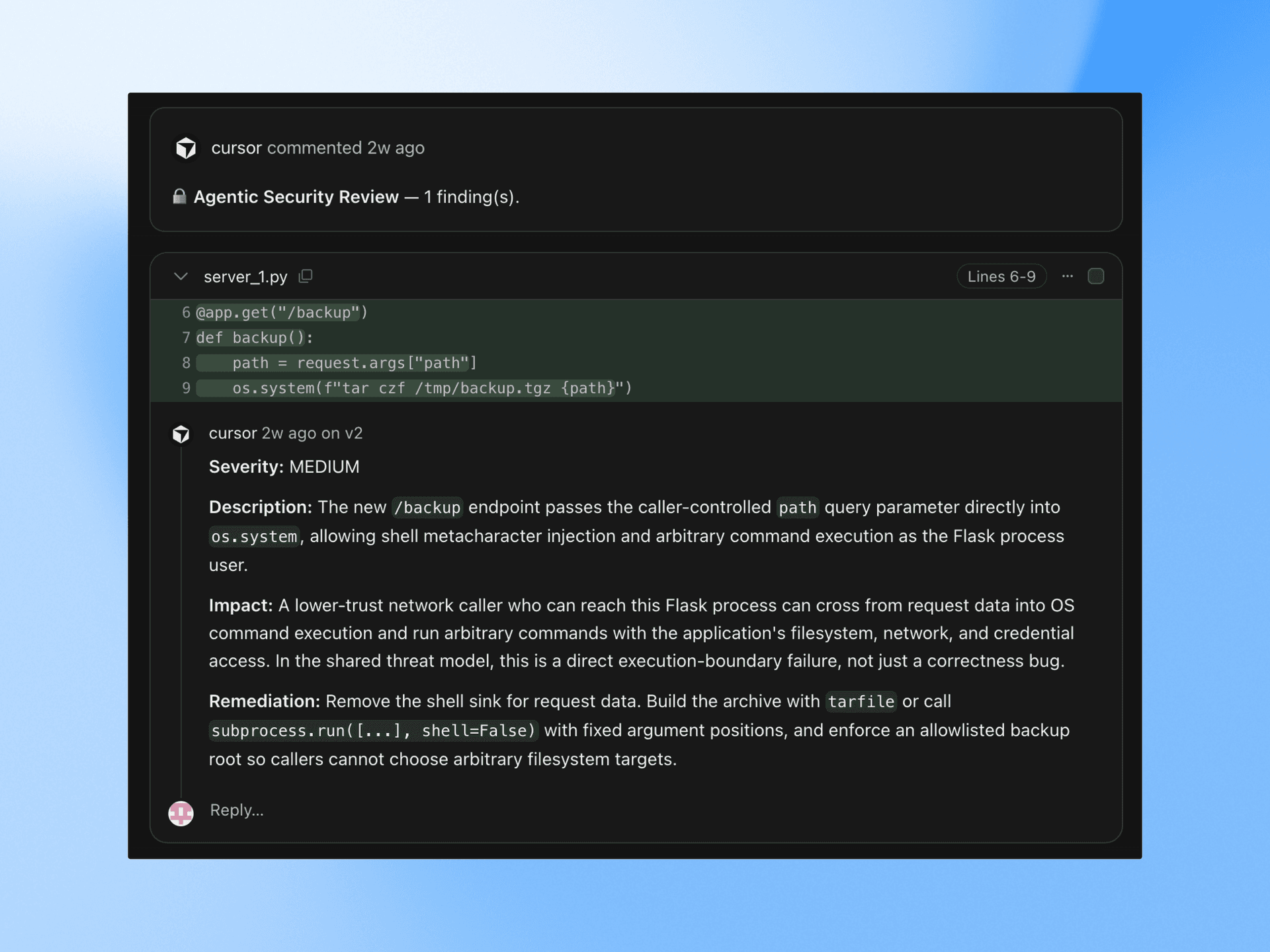
Bugbot can automatically fix issues it finds in pull requests.

Autofix runs cloud agents on their own machines to test changes and propose fixes directly on your PR. Today, over 35% of Bugbot Autofix changes are merged into the base PR.

Bugbot will post a comment on the original PR with a preview of the autofix changes, which you can merge using the provided @cursor command. If you'd like, you can instead configure autofix to push changes directly to your branch with no interaction required.

To enable autofix, head over to your Bugbot dashboard.

Read more in our announcement.

Cloud Agents with Computer Use

Cloud agents can now use the software they create to test changes and demo their work.

After onboarding onto your codebase, each agent runs in its own isolated VM with a full development environment. Cloud agents produce merge-ready PRs with artifacts (videos, screenshots, and logs) that make it possible to quickly review their changes.

Cloud agents are available anywhere you use Cursor, including web, desktop, mobile, Slack, and GitHub.

Get started at cursor.com/onboard to watch the agent configure itself and record a demo. Or read more in our announcement.

CLI Improvements and Mermaid ASCII Diagrams

This release introduces the ability to hand off plans from the CLI to the cloud, in-line rendering of ASCII diagrams, and many quality-of-life improvements.

Plan mode improvements in CLI

When a plan is generated, the CLI now shows a persistent decision menu. You can choose to build in the cloud or build locally to execute the plan.

Typing /plan takes you back to your current plan and its action menu. We've also added keyboard shortcuts in the prompt bar so you can use arrow keys to navigate options, Enter to execute the selected option, and Shift+Enter as a shortcut for "Build in cloud."

Mermaid ASCII diagrams in CLI

Mermaid code blocks now render inline as ASCII diagrams in your CLI conversation. Flowcharts, sequence diagrams, state machines, class diagrams, and ER diagrams can all be displayed directly in the terminal.

Ctrl+O allows you to switch between the rendered diagram and the original mermaid source to see both representations.

Other improvements

We've also made lots of improvements to the CLI focused on tooling, quality of life, and reliability.

Plugins, Sandbox Access Controls, and Async Subagents

This release introduces plugins for extending Cursor, improvements to core agent capabilities like subagents, and fine-grained network controls for sandboxed commands.

Plugins on the Cursor Marketplace

Plugins package skills, subagents, MCP servers, hooks, and rules, into a single install. The Cursor Marketplace lets you discover and install plugins to extend Cursor with pre-built capabilities.

Our initial partners include Amplitude, AWS, Figma, Linear, Stripe, and more. These plugins cover workflows across design, databases, payments, analytics, and deployment.

Browse plugins at cursor.com/marketplace or install directly in the editor with /add-plugin.

Read more in our announcement.

Sandbox network access controls

The sandbox now supports granular network access controls, as well as controls for access to directories and files on your local filesystem. Define exactly which domains the agent is allowed to reach while running sandboxed commands:

  • User config only: restricted to domains in your sandbox.json
  • User config with defaults: restricted to your allowlist plus Cursor's built-in defaults
  • Allow all: unrestricted network access within the sandbox

Admins on the Enterprise plan can enforce network allowlists and denylists from the admin dashboard, ensuring organization-wide egress policies apply to all agent sandbox sessions.

Async subagents

Previously, all subagents ran synchronously, blocking the parent agent until they complete. Subagents can now run asynchronously, allowing the parent to continue working while subagents run in the background.

Subagents can also spawn their own subagents, creating a tree of coordinated work. This allows Cursor to take on bigger tasks like multi-file features, large refactors, and challenging bugs.

We've also made some performance improvements to subagents since our last release. They now run with lower latency, better streaming feedback, and more responsive parallel execution.

Long-running Agents in Research Preview

Cursor can now work autonomously over longer horizons to complete larger, more complex tasks. Long-running agents plan first and finish more difficult work without human intervention.

In research preview and internal testing, long-running agents completed work that was previously too hard for regular agents. This led to larger, more complete PRs with fewer obvious follow-ups.

Cursor's long-running agent is now available at cursor.com/agents for Ultra, Teams, and Enterprise plans.

Read more in our announcement.