Start from scratch, without a repo
Cloud Agents no longer require a connected GitHub or other third-party SCM provider to get started. Prompt from the get-go, then save your work to a Cursor Origin repo.
Get started
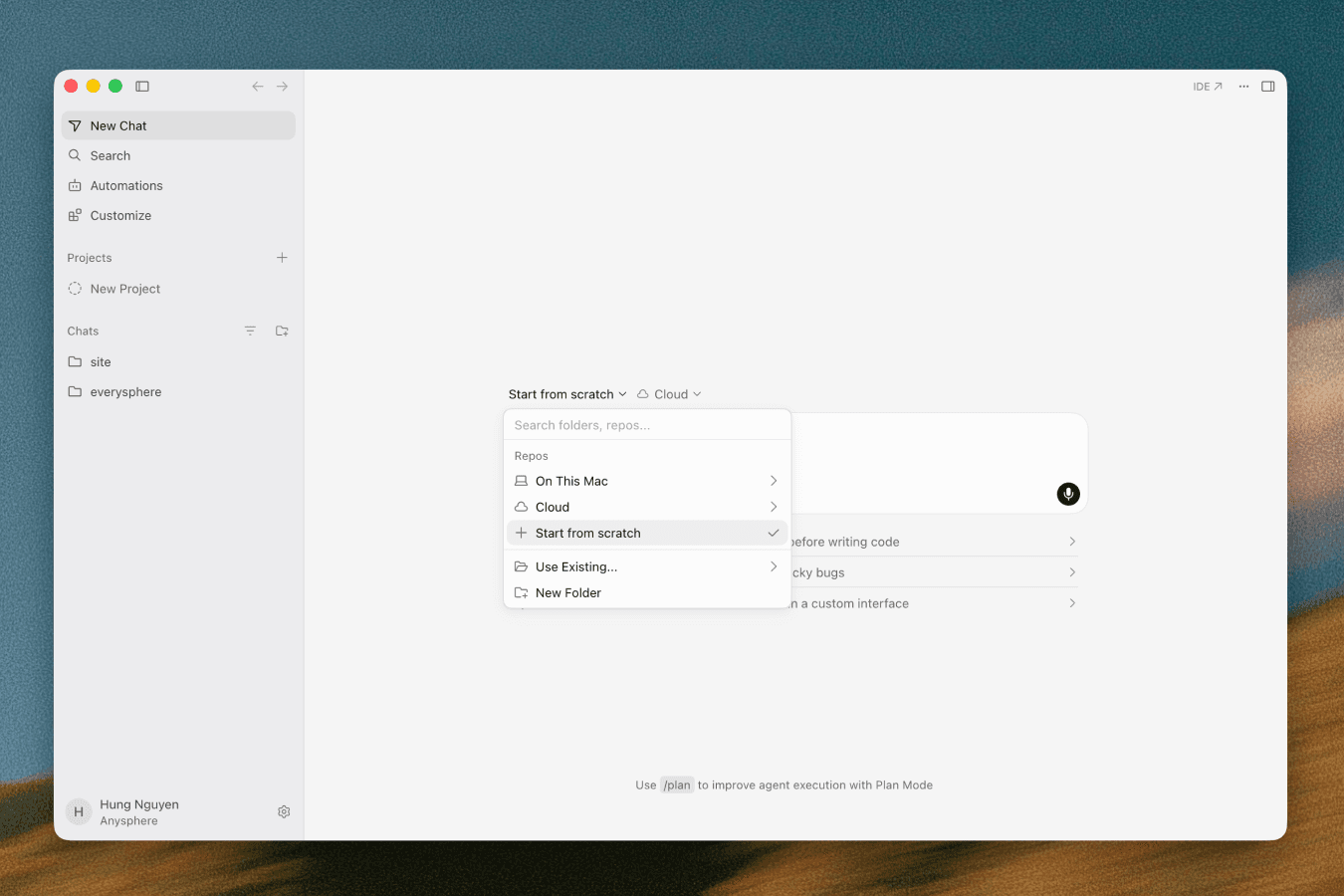
Select Start from scratch in the repo picker, then prompt the agent. In the background, Cursor creates an Origin repo for you.
Turn it into a real repo, whenever you want
Once the agent's build is to your liking, click the Create repo button to save your work in an Origin repo. Choose a custom name or pick one of the suggested ones, then set the visibility to private or internal. You'll get a fully scaffolded Origin repo, ready to share or keep building on. Navigate to the Codebase tab to find your repo and access your project.
A live preview, right in the browser
Cursor now port-forwards your cloud agent's live environment straight to your browser, so you can preview it and use tools like design mode.
Publish your work
Connect a Vercel account and hit publish to get a live URL for what you built.
A Vercel account is required to use the publish feature.