Your keyboard just got promoted.
Move from idea to production faster with agents that handle the work between planning, coding, testing, and review.
Request a meeting to map your team's workflows and find where Cursor and Grok Bot for Engineering can make the biggest impact.
After the session, you'll receive a custom Keychron keyboard to help you build your most ambitious software.
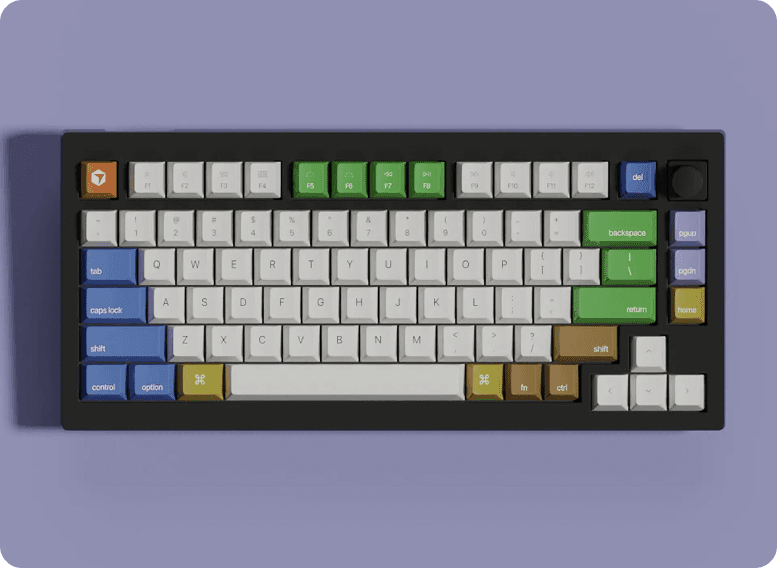
Meet with our team
Offer available only to qualifying individuals and organizations, as determined by Cursor in its sole discretion. Submitting this form or scheduling a meeting does not guarantee that you will receive a keyboard. Keyboards are limited and provided only while supplies last. See Terms.
Your keyboard is on to bigger and better things
Explore the codebase
Cursor agents use repository context and coding tools to understand how the system works before they make a change.
Delegate the full task
Move from “write this function” to “fix this issue.” Agents can plan, implement, test, and package the work for review.
Run work in parallel
Fan out a large problem across specialized agents. Let each one investigate, build, or verify a piece of the solution.
Keep the work moving in the cloud
Cloud Agents run longer, multi-step tasks asynchronously, so progress does not stop when you close the editor.
Agents that work wherever you do
Spin up agents wherever you work, across every stage of the SDLC — from the IDE and CLI to Cloud Agents, Automations, mobile, and review surfaces.
Stay in control of what ships
Use the model, rules, tools, and review process that fit your team. Cursor gives agents room to work without removing engineering judgment from the loop.