Rollouts and Security Review
Today we're launching two Cursor bots for the last mile of shipping code. Rollouts watches every change as it deploys and reports its health per environment. Security Review reports exploitable bugs on every pull request.
Both are available today on Teams and Enterprise plans.
Rollouts
Rollouts attaches a monitor to every pull request and watches the change as it deploys, reporting change health per environment: verified healthy, regression detected, or inconclusive. It's the Cursor version of Firetiger Change Monitors, rebuilt with the Bot Development Kit.
Enable it from the dashboard and connect source control, your deploy system, and your telemetry provider. Rollouts starts watching on the next pull request.
Monitoring plans
When a pull request opens, Rollouts reads the diff and the systems it touches, then writes a monitoring plan as a PR comment. The plan lists the risks it identified, the effect the change is meant to have, the signals it will check, and any gaps in instrumentation that would make the change hard to verify. Edit the plan in the PR and Rollouts uses your version.
Deploy tracking
Rollouts wakes on deploy events for the change's commit and runs the plan against your logs, metrics, and traces. It tracks each environment separately, so a change can be verified in staging and still flagged in production. Rollouts checks the change's intended effect alongside error and latency signals, and reports back on the PR when it reaches a verdict.
Regressions
When Rollouts detects a regression, it names the change it suspects and notifies the author. Depending on configuration, it can also open a revert PR for review or hand the finding to a cloud agent for a fix. Rollouts does not merge or roll back on its own today.
Integrations
Rollouts connects to Origin or GitHub for source control, to your continuous delivery system for deploy events, and to Datadog and other telemetry providers for signals. Feature flag integration is coming soon.
Security Review
Security Review is available today. It reads every pull request in the context of the codebase and posts one review comment reporting exploitable bugs. Style and quality stay with Bugbot.
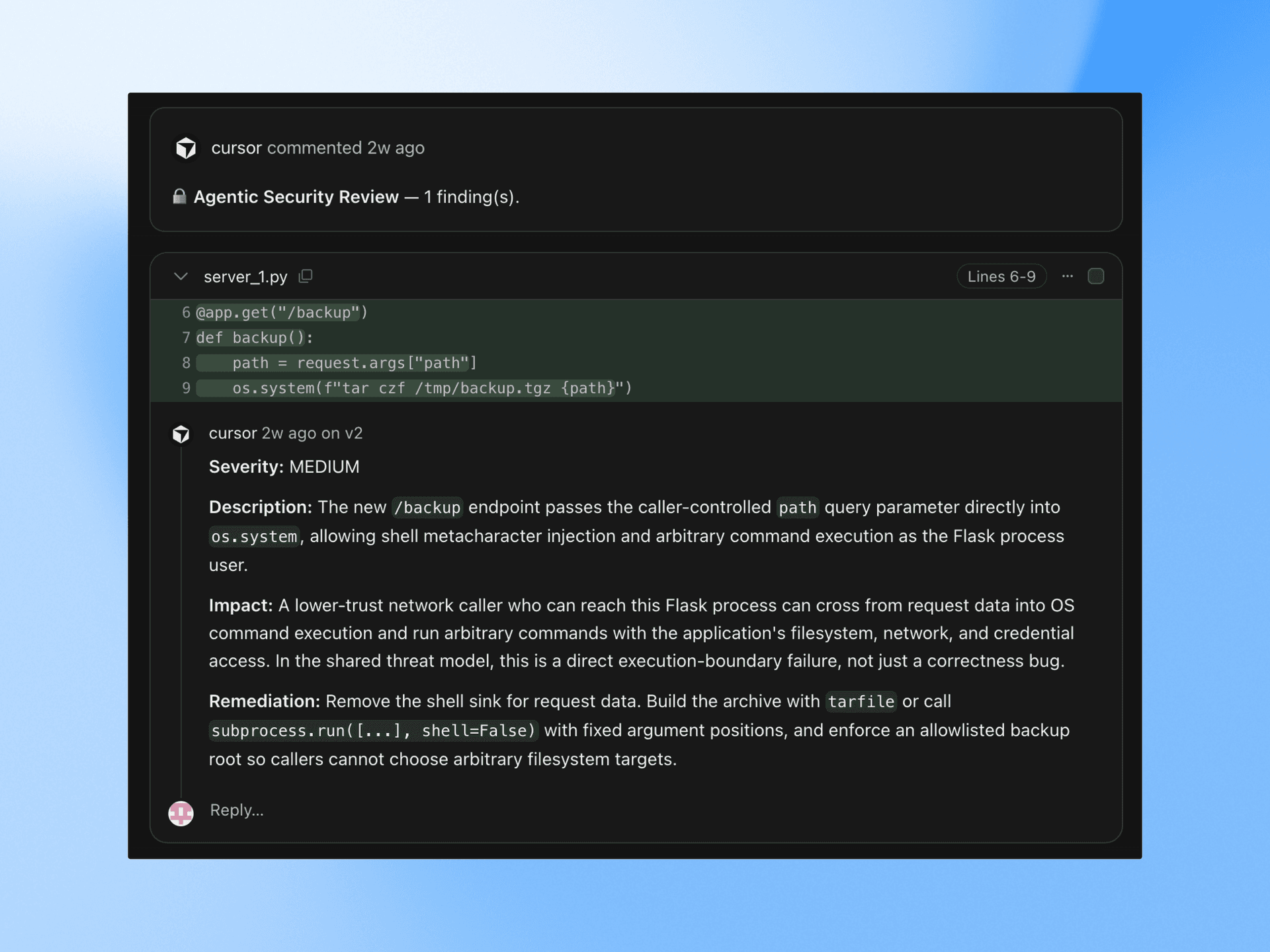
Enable it from the dashboard for the repositories you want reviewed. Draft PRs are skipped.
What it reports
Security Review looks for injection across SQL, command, and template surfaces, along with authentication and authorization bypasses, including checks that a refactor stopped running. It also flags secrets and credentials committed to source, SSRF and unvalidated redirects, unsafe deserialization, and dependency changes that introduce known vulnerabilities. It traces where user input enters and what it passes through.
Findings
Each finding carries a severity, the attack path, and a proposed fix. Dismiss one with a reason and Security Review won't raise it again on that PR.
Team rules
Add rules for your codebase, such as which client external calls must go through or which tables are never queried from a request handler, and Security Review enforces them on every PR.
Get started
Rollouts and Security Reviewer are available today on Teams and Enterprise plans. Enable either bot from the automations tab.
For the next 10 days, we're including usage credits so teams can try Rollouts on real changes. Teams and Enterprise customers receive credits for roughly 50 and 500 changes, respectively.