CLI Agent Modes and Cloud Handoff
This release brings many of the editor’s most-loved features to the Cursor CLI, along with improvements that make it easier to use.
Plan mode in CLI
Use Plan mode to design your approach before coding. Cursor will ask clarifying questions to refine your plan. Get started with /plan or --mode=plan.
Ask mode in CLI
Use Ask mode to explore code without making changes, just like in the editor. Start asking questions with /ask or --mode=ask.

Handoff to Cloud Agents
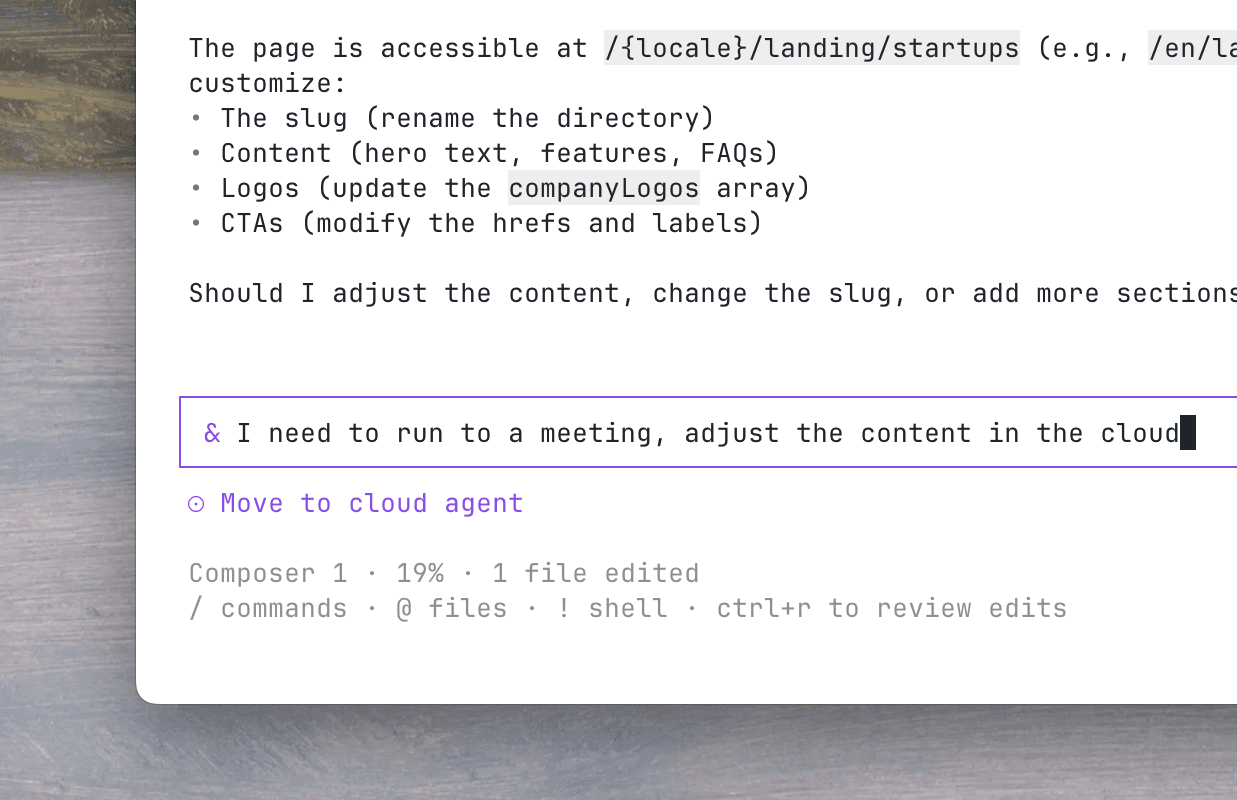
Push your local conversation to a Cloud Agent and let it keep running while you're away. Prepend & to any message to send it to the cloud, then pick it back up on web or mobile at cursor.com/agents.
Word-level Inline Diffs
Show exactly what changed with precise word-level highlighting in the CLI.

One-click MCP authentication
Connect Cursor to external tools and data sources with a new login flow supporting automatic callback handling. The agent gets access to authenticated MCPs immediately.
Use /mcp list for an updated interactive MCP menu to browse, enable, and configure MCP servers at a glance.
- Added hooks for session start/end, prompt, and stop for customizing agent lifecycle events.
- See Cursor streaks and stats with
/usage. - Added WebFetch, WebSearch tools, & approval options for granular controls over web search and fetch requests from MCP tools.
- Added
/aboutfor seeing basic details about your environment and Cursor CLI setup. - Faster message queueing and UX.
Shift+Enterfor newlines now works in iTerm2, Ghostty, Kitty, Warp, and Zed. Run/setup-terminalto auto-configure/Option+EnterApple Terminal, Alacritty, or VS Code.Ctrl+Jand\+Enterwork universally as alternatives.- Smarter terminal environment detection for optimal keybindings and display.
- Better markdown rendering with proper links, tables, and rules.
- Menu resize handling, long line truncation, and stable state on window changes.
/listremoved. Use/resumeto see all prior conversations./modelsremoved. Use/modelto see all models or select a model.
- Fixed process hangs and silent failures. Agent runs should be more stable with fewer errors.