1.7 · Changelog
Browser Controls, Plan Mode, and Hooks
Browser Controls
Agent can take screenshots, improve UI, and debug client issues. Read more about browser capabilities.
Plan Mode
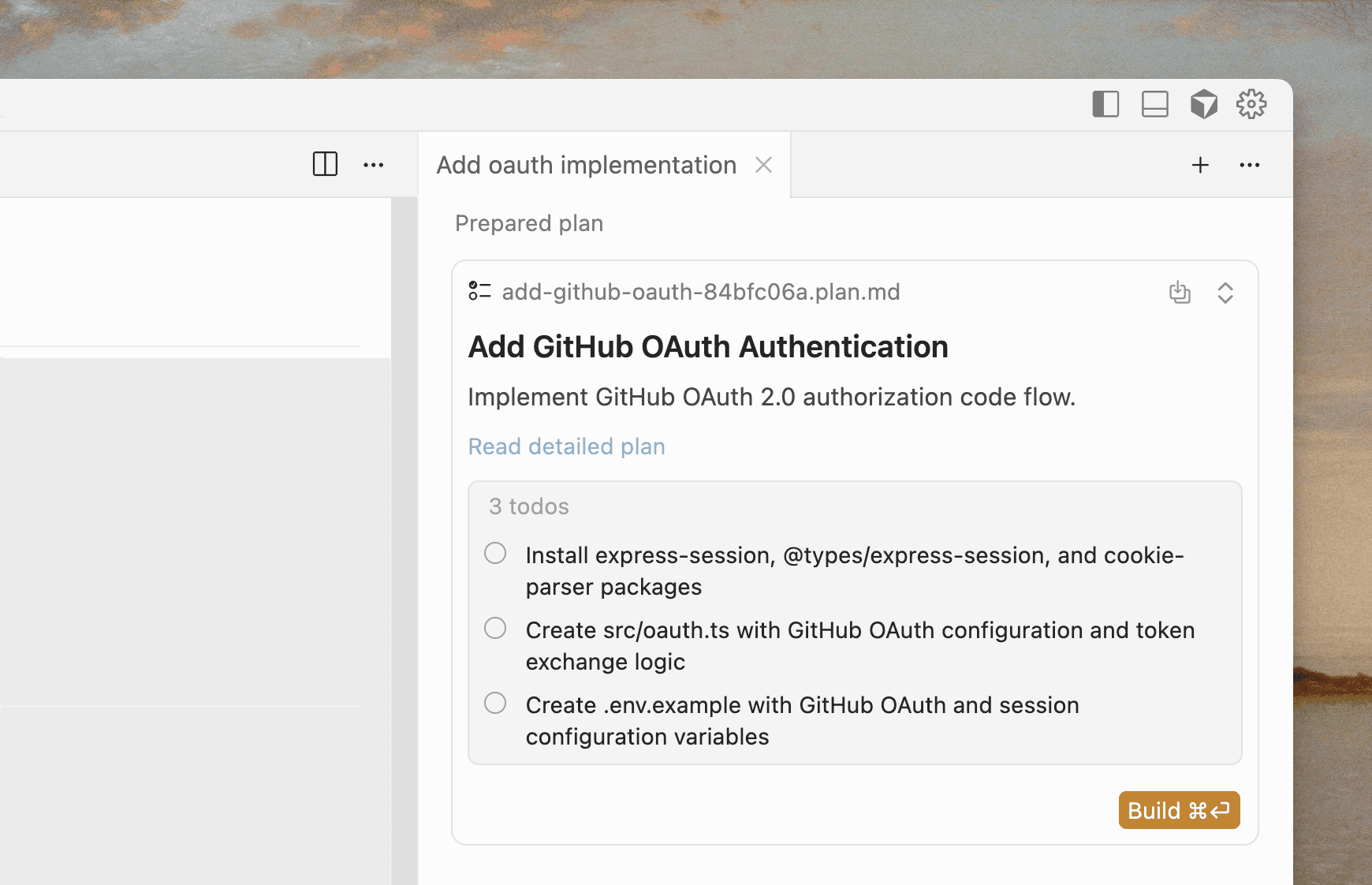
Cursor can now write detailed plans before starting complex tasks. This allows agents to run for significantly longer.
Autocomplete for Agent
When writing prompts, autocomplete suggestions will appear based on recent changes. Tab to accept suggestions and attach files to context.
Hooks (beta)
You can now observe, control, and extend the Agent loop using custom scripts. Hooks give you a way to customize and influence Agent behavior at runtime.
Use Hooks to audit Agent usage, block commands, or redact secrets from context. It's still in beta and we'd love to hear your feedback.
Team rules
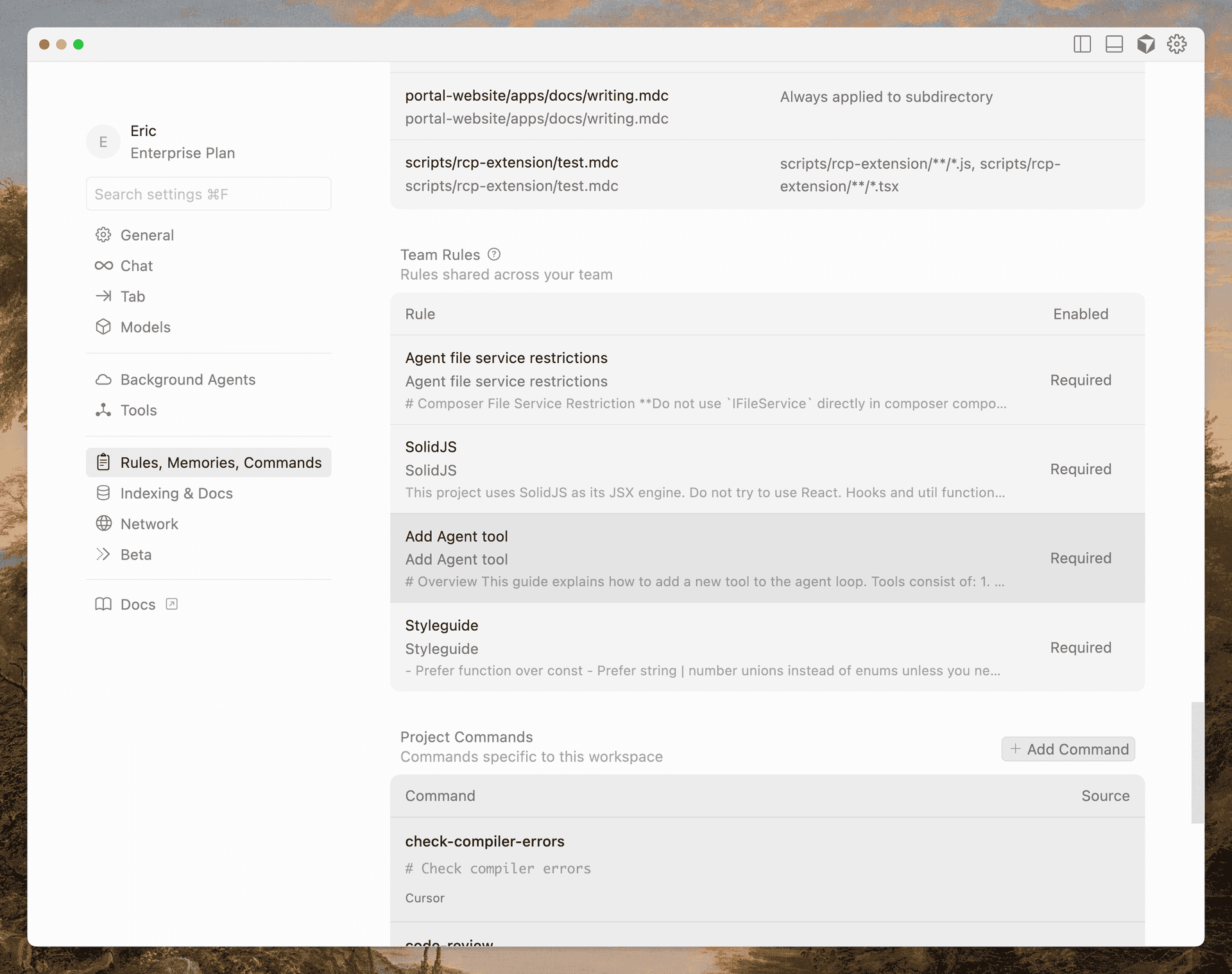
Teams can now define and share global rules from the dashboard that will be applied to all projects. We've also shipped team rules for Bugbot, so behavior is consistent across repos.
Share prompts with deeplinks (beta)
Generate shareable deeplinks for reusable prompts. Useful for setup instructions in documentation, team resources, and sharing workflows. See our documentation for how to create them.
Sandboxed terminals
Commands now execute in a secure, sandboxed environment. If you're on allowlist mode, non-allowlisted commands will automatically run in a sandbox with read/write access to your workspace and no internet access.
If a command fails and we detect the sandbox was the cause, you'll be prompted to retry outside of the sandbox.
PR summaries from Bugbot
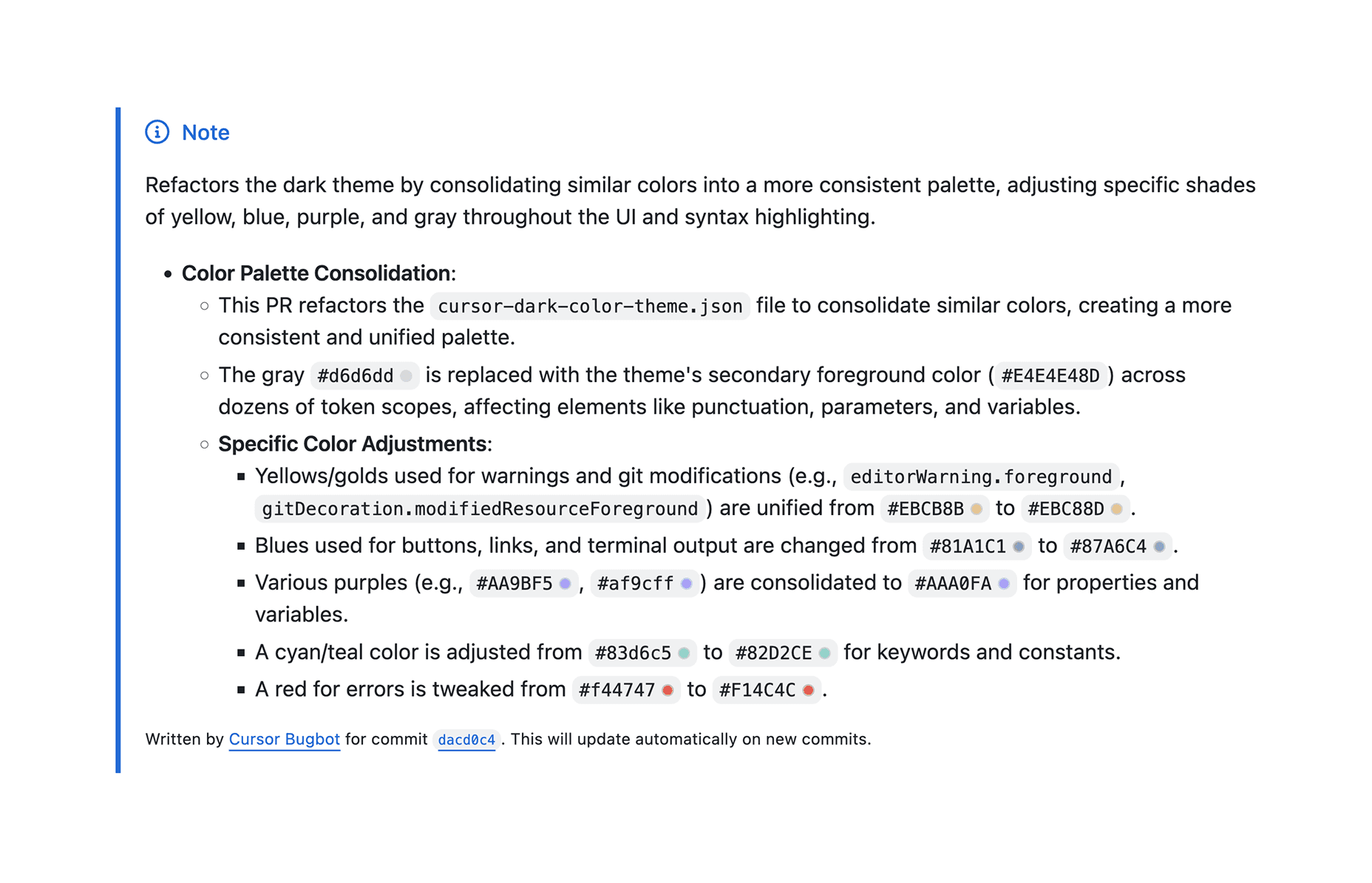
When creating a PR in GitHub, Bugbot will now generate a summary of the changes. The summary will be updated as you push changes so it's always correct. This can be disabled in the Bugbot tab of your Cursor dashboard.
Monitor Agents from menubar
Quickly check the status of Cursor Agents right from your menubar.
Image file support for Agent
Agent can now read image files directly from your workspace and include them in context. Previously, only pasted images were supported.
- Code pasted from files and the terminal is now explicitly mentioned in Chat, making conversations clearer and easier to follow.
- On Windows, Agent now correctly uses PowerShell. On macOS and Linux, PowerShell will be used if it's set as your default shell. Agent also properly detects the shell, preventing Bash-specific syntax errors in PowerShell.
- 1.7.1: Performance improvements
- 1.7.2: MCP autorun support
- 1.7.3: Performance fixes and UI improvements
- 1.7.4: Shift+Tab shortcut improvements
- 1.7.5: Agent window fixes
- 1.7.6: Performance optimizations and migration fixes
- 1.7.7: Git settings improvements
- 1.7.8: UI cleanup
- 1.7.9: Agent window fixes
- 1.7.10: Bash compatibility fixes
- 1.7.11: Multi-root sandboxes and terminal improvements
- 1.7.12: Agent window fixes
- 1.7.13: Bug fixes
- 1.7.14: Plan mode improvements and interactive todos
- 1.7.15: Browser support and agent window keyboard shortcuts
- 1.7.16: Image handling improvements and keyboard shortcuts
- 1.7.17: Fixes
- 1.7.18: Input box and shortcut fixes
- 1.7.19: Browser and MCP tools improvements
- 1.7.20: Web search auto-accept setting
- 1.7.21: Screenshot fixes
- 1.7.22: Auto-run UI improvements and browser logging
- 1.7.23: Plan mode fixes and remote file support
- 1.7.24: Team deeplinks and hooks improvements
- 1.7.25: Bug fixes
- 1.7.26: Terminal sandboxing
- 1.7.27: Fixed Chat Tab behavior
- 1.7.28: Fixed browser view state
- 1.7.29: Improved agent window blocking, improved ripgrep performance
- 1.7.30: Fixed browser console bug
- 1.7.31: Update review code flow, fixed empty codeblocks
- 1.7.32: Fixed dismiss modal state
- 1.7.33: Improve performance for file watcher
- 1.7.34: Improved plan mode conversation UX, fixed memory leaks
- 1.7.35: Merged todos, improved plan mode labeling and conversation UX
- 1.7.36: Fixed observer creation issues
- 1.7.37: Fixed plan mode dots positioning
- 1.7.38: Improved plan updates and terminal sandboxing
- 1.7.39: Fixed memory leaks, remote connections improvements, terminal sandboxing UX
- 1.7.40: Error improvements, terminal environment fixes, MCP allowlist updates
- 1.7.41: Token sync improvements for authentication
- 1.7.42: Copy updates, MCP allowlist full wildcard fix, plan editor copying improvements
- 1.7.43: Improved todos creation and deletion
- 1.7.44: Fixed todo references
- 1.7.45: Model picker UX
- 1.7.46: Agent UI improvements
- 1.7.47: File watcher crash fix, search improvements, HTTP/2 policy
- 1.7.48: Memory leak fixes, Git repository detection improvements, quick search improvements
- 1.7.49: Deeplinks code cleanup, HTTP/2 network changes
- 1.7.50: Release infrastructure improvements
- 1.7.51: Network improvements
- 1.7.52: Cache and build improvements
- 1.7.53: Network logging improvements
- 1.7.54: Logging, UI performance improvements